

Example: existing and revised cutting fixtures
70 independent strips: 35 cut with each fixture.
Download the example data (CSV)This is the same example used in Help. Import the CSV to follow the steps, or use Open example in a practice copy in Help to prefill the inputs.
1. Create the workspace
In the sidebar, open Basic Statistics and choose Variances: Two-Sample (F). Create an analysis, name it, select New blank worksheet, then choose Create analysis.
2. Import the example data
Download the CSV above and import it into the worksheet. Choose Comma as the delimiter, Dot as the decimal separator and First row contains column names.
3. Assign the input columns
On Inputs, assign sample_1 to Sample 1 and sample_2 to Sample 2. Sample 1 contains lengths from the existing fixture; Sample 2 from the revised fixture. Different strips were measured for each. Each sample column contains 35 independent strips. Blank cells outside its sample are intentional; worksheet rows do not define matched pairs.
4. Set the test
Enter 0.05 in Significance level (α). Choose Two-sided for Alternative hypothesis.
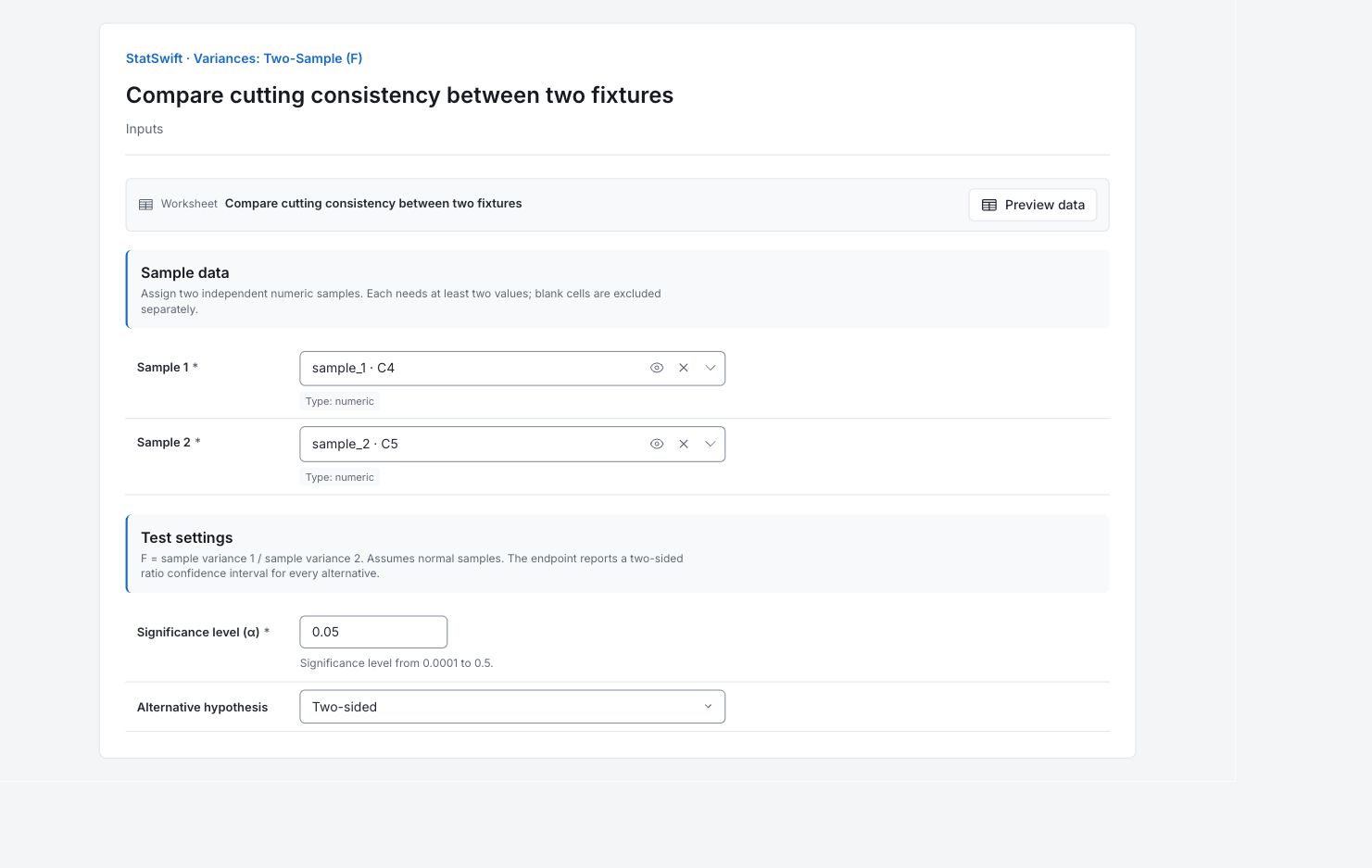
5. Run analysis
Choose Run analysis, then open Results.
6. Interpret results
Keep the ratio direction clear
Each fixture has 35 independent strip lengths in mm. The ratio is existing-fixture variance divided by revised-fixture variance. This compares spread, not average cut length.
Read the sample spread
The existing fixture’s SD is about 0.1372 mm; the revised fixture’s is 0.0840 mm. Variance is SD squared, in mm².
Read the ratio and interval
The variance ratio is 2.6675, with a 95% interval of 1.3465–5.2846. The interval stays above 1, and p = 0.005338. There is evidence of greater variation with the existing fixture under the test assumptions. The variance ratio is not the SD ratio.
Check the conditions before acting
The production warning notes that the F-test assumes normality. Check sample shape and comparable material and measurement conditions. The revised fixture has less sample variation, but this comparison alone does not identify why.
More details: read each result section
Complete result tables use six significant digits, as in Help.
Two-sample F-test
F statistic equals Variance ratio (A / B), with A = Sample 1 and B = Sample 2. Numerator and Denominator DF are both 34. p-value tests equal population variances under normal independent samples. Alpha and Alternative document the two-sided test; CI lower and CI upper bound the 95% variance ratio interval.
| Statistic | Value |
|---|---|
| F statistic | 2.6675 |
| Variance ratio (A / B) | 2.6675 |
| Numerator DF | 34 |
| Denominator DF | 34 |
| p-value | 0.00533809 |
| Alpha | 0.05 |
| Alternative | Two-sided |
| CI lower | 1.34646 |
| CI upper | 5.28464 |
- Variances appear unequal (p=0.00534).
- 95% two-sided confidence interval for the variance ratio.
Sample summaries
Sample A is the existing fixture; B the revised fixture. n counts 35 different strips each. Mean concerns length in mm; SD describes spread in mm and Variance in mm². The test compares the last column, not means.
| Sample | n | Mean | SD | Variance |
|---|---|---|---|---|
| A | 35 | 250.015 | 0.137185 | 0.0188197 |
| B | 35 | 250.011 | 0.083995 | 0.00705516 |
7. Create a report
Keep the complete Two-sample F-test, Sample summaries, ratio direction and normality warning. Include the strip-length unit and distinguish a variance ratio from an SD ratio.
Choose Add to report from the completed run. Open Choose individual items and advanced options to select tables and charts, then choose Add to draft. Hidden items stay in the saved analysis.
Name the report and add the purpose of the study and your interpretation. Choose Save, review Preview, then use Export → Download HTML. The example below contains the full selected content, including results beyond one screen.