

Example: assembly torque at four stations
120 different assemblies: 30 from each of four stations.
Download the example data (CSV)This is the same example used in Help. Import the CSV to follow the steps, or use Open example in a practice copy in Help to prefill the inputs.
1. Create the workspace
In the sidebar, open Basic Statistics and choose Equal Variances. Create an analysis, name it, select New blank worksheet, then choose Create analysis.
2. Import the example data
Download the CSV above and import it into the worksheet. Choose Comma as the delimiter, Dot as the decimal separator and First row contains column names.
3. Assign the input columns
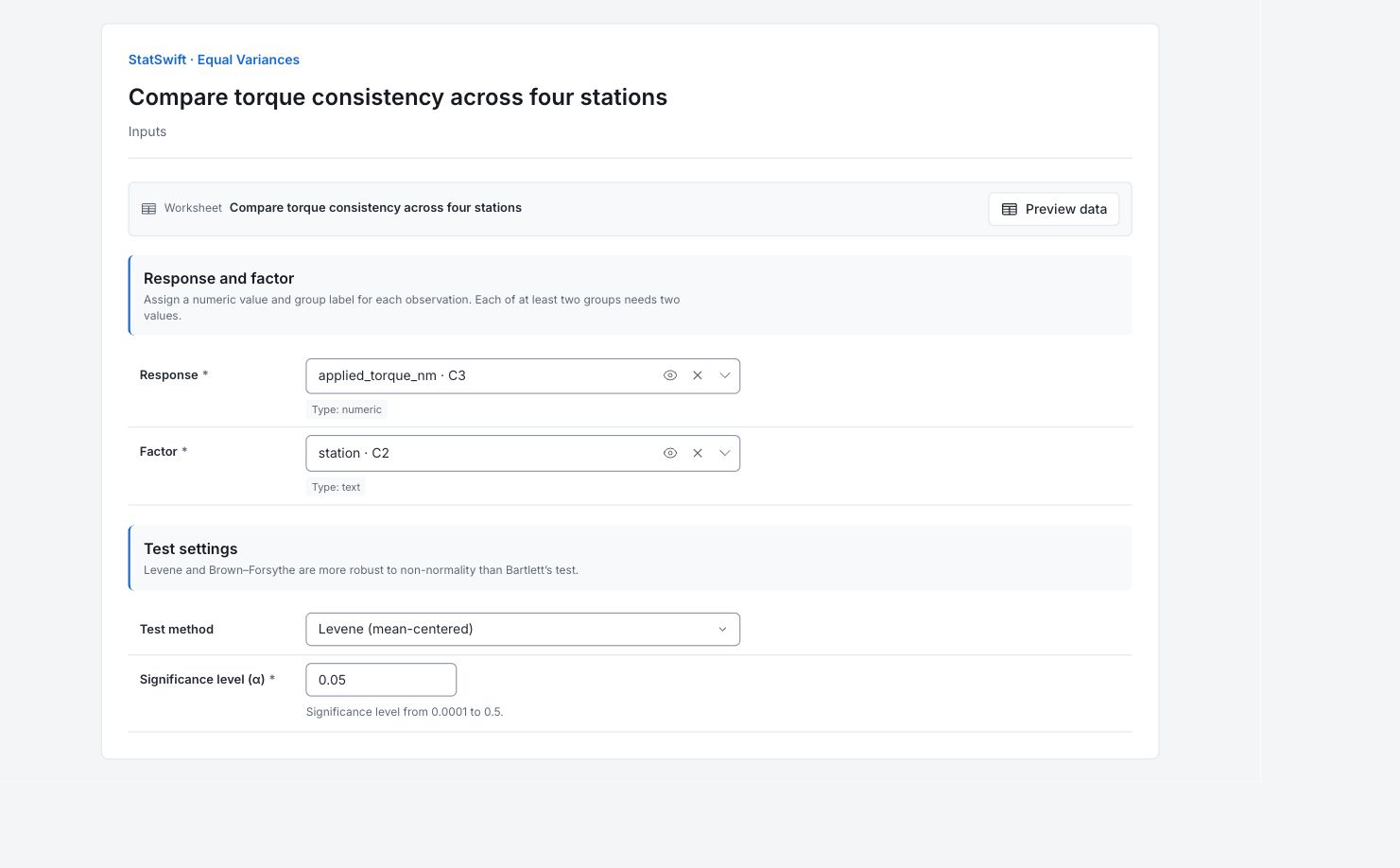
On Inputs, assign applied_torque_nm to Response and station to Factor. Each row contains one assembly’s torque and the station that applied it.
4. Set the test
Choose Levene (mean-centered) for Test method and enter 0.05 in Significance level (α).
5. Run analysis
Choose Run analysis, then open Results.
6. Interpret results
Identify the question
Each of four stations has 30 different assemblies. Levene’s test compares torque variation among stations, not mean torque. Here, mean-centered Levene compares the absolute distance of each reading from its own station mean.
Read the overall result
The Levene statistic is 12.9749 and p = 2.286 × 10⁻⁷. There is evidence that the population variances differ at the 5% level. The overall test does not identify every differing pair.
Locate the larger spread
Station_3 has SD about 0.1370 N·m. The other stations range from 0.0427 to 0.0675 N·m. Each has 30 readings, so Station_3 is a useful place to begin investigating the larger spread.
Investigate the station
Check setup, product mix and measurement conditions at Station_3. These results locate a difference in variation; they do not determine its physical cause or whether every torque meets a requirement.
More details: read each result section
Complete result tables use six significant digits, as in Help.
Equal variances test
Method records mean-centered Levene. Statistic and p-value summarize the equal-variance test. DF1 is 3 for four groups; DF2 is 116 for 120 readings. Groups, Total N and Alpha document the study and 5% test threshold.
| Statistic | Value |
|---|---|
| Method | Levene (mean-centered) |
| Statistic | 12.9749 |
| p-value | 2.28649e-7 |
| DF1 | 3 |
| DF2 | 116 |
| Groups | 4 |
| Total N | 120 |
| Alpha | 0.05 |
| Decision | Variances appear unequal. |
- For multiple means with unequal variances, consider Welch’s ANOVA.
Group summaries
Group is the station; n is the number of assemblies. Mean is torque in N·m and SD is its spread in N·m. This test concerns variation, so a similar mean does not imply similar consistency.
| Group | n | Mean | SD |
|---|---|---|---|
| Station_4 | 30 | 3.4902 | 0.0674789 |
| Station_2 | 30 | 3.50983 | 0.0609398 |
| Station_1 | 30 | 3.4951 | 0.0427377 |
| Station_3 | 30 | 3.47933 | 0.136995 |
7. Create a report
Keep the Equal variances test and all Group summaries, method, units and sampling context. Describe the overall difference in variation without claiming its cause.
Choose Add to report from the completed run. Open Choose individual items and advanced options to select tables and charts, then choose Add to draft. Hidden items stay in the saved analysis.
Name the report and add the purpose of the study and your interpretation. Choose Save, review Preview, then use Export → Download HTML. The example below contains the full selected content, including results beyond one screen.