

Example: four adhesive formulations
80 independently prepared joints: 20 per adhesive formulation. Joints were randomly assigned to formulations, and strength-test order was randomized.
Download the example data (CSV)This is the same example used in Help. Import the CSV to follow the steps, or use Open example in a practice copy in Help to prefill the inputs.
1. Create the workspace
In the sidebar, open Basic Statistics and choose Means: k-Sample (ANOVA). Create an analysis, name it, select New blank worksheet, then choose Create analysis.
2. Import the example data
Download the CSV above and import it into the worksheet. Choose Comma as the delimiter, Dot as the decimal separator and First row contains column names.
3. Assign the input columns
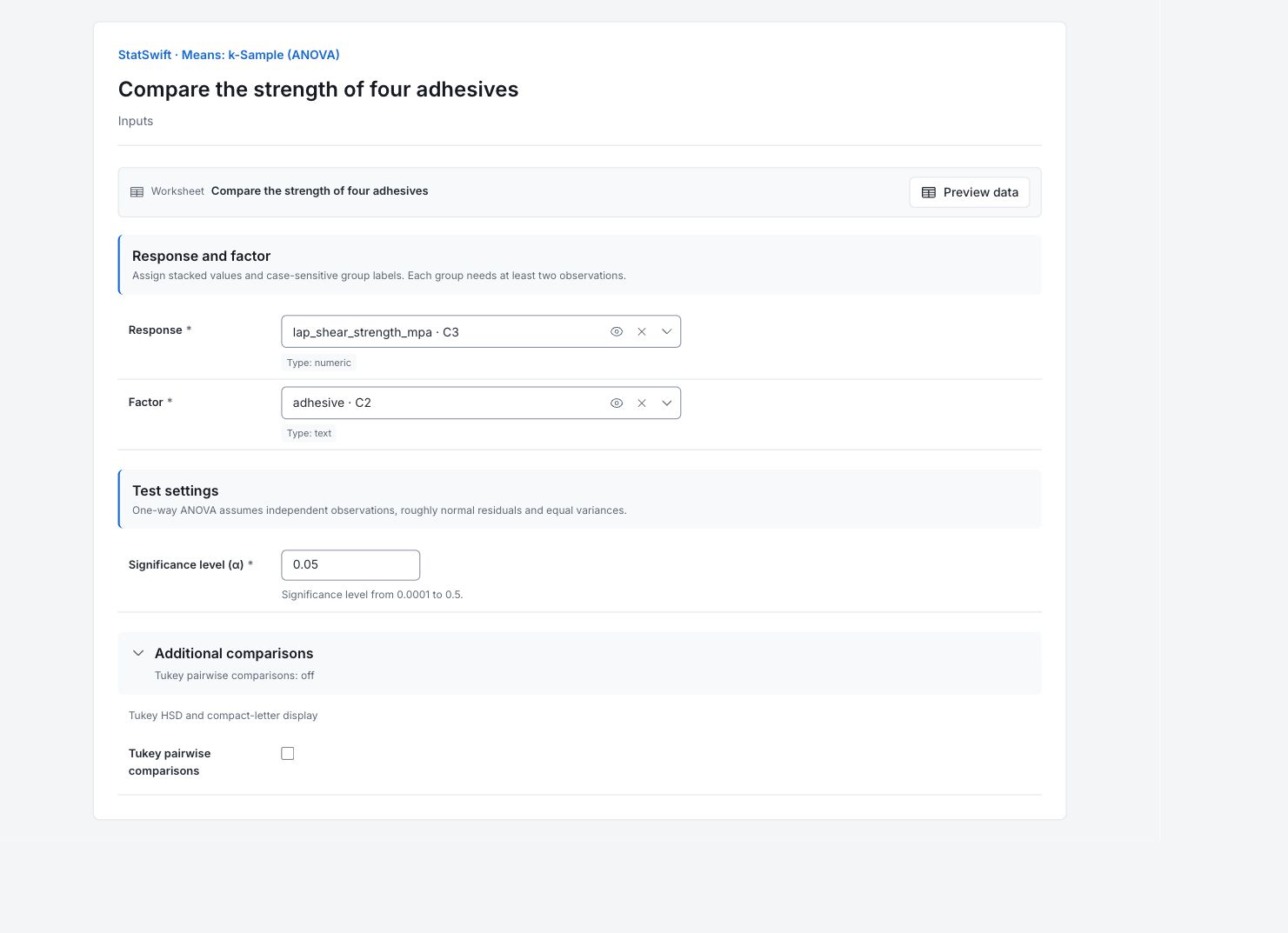
On Inputs, assign lap_shear_strength_mpa to Response and adhesive to Factor. Each row is one independently prepared joint; the factor identifies its formulation.
4. Set the test
Enter 0.05 in Significance level (α). Open Additional comparisons and leave Tukey pairwise comparisons unchecked.
5. Run analysis
Choose Run analysis, then open Results.
6. Interpret results
Check the groups
Each of four adhesives has 20 independently prepared joints. ANOVA tests whether all four population means can be described by one common mean.
Read the overall test
The ANOVA table gives F = 15.86 and p = 4.220 × 10⁻⁸. At the 5% level, there is evidence that at least one mean differs, under the assumptions of independent observations, roughly normal residuals (each joint’s departure from its fitted group mean) and equal variances.
Read the group estimates
Adhesive C has the highest sample mean, 15.178 MPa, and A the lowest, 12.966 MPa. Their observed difference is about 2.21 MPa. The displayed intervals estimate individual group means using the pooled error; they are not simultaneous pairwise comparisons.
Choose the comparisons you need
Tukey comparisons are off, so this run does not identify every differing pair. Use the supported Tukey option if pairwise differences matter. Compare strength with the practical requirement before choosing a formulation.
More details: read each result section
Complete result tables use six significant digits, as in Help.
ANOVA table
Between describes variation among group means; Within describes variation among joints in the same group; Total combines them. DF is degrees of freedom, SS is sum of squares and MS is SS divided by DF. F compares Between MS with Within MS. The p-value tests a common mean. Dashes mark statistics that do not apply to that row.
| Source | DF | SS | MS | F | p-value |
|---|---|---|---|---|---|
| Between | 3 | 59.7399 | 19.9133 | 15.8589 | 4.21963e-8 |
| Within | 76 | 95.4296 | 1.25565 | — | — |
| Total | 79 | 155.169 | — | — | — |
- Group means differ (p=4.22e-08)
Group summaries
Group is the adhesive; n is 20 per formulation. Mean and SD describe its measurements. CI low and CI high bound its 95% mean interval using pooled within-group variance; Margin of error is the interval half-width. These intervals are not a Tukey comparison of pairs.
95% confidence intervals for group means.
| Group | n | Mean | SD | CI lower | CI upper | Half-width |
|---|---|---|---|---|---|---|
| Adhesive_B | 20 | 13.2955 | 1.2016 | 12.7965 | 13.7945 | 0.499043 |
| Adhesive_C | 20 | 15.178 | 1.12076 | 14.679 | 15.677 | 0.499043 |
| Adhesive_D | 20 | 14.2415 | 1.07341 | 13.7425 | 14.7405 | 0.499043 |
| Adhesive_A | 20 | 12.9655 | 1.08188 | 12.4665 | 13.4645 | 0.499043 |
Overall summary
Grand mean combines all 80 joints; Groups is 4 and Alpha is 0.05. This summary does not verify independence, normal residuals or equal population variances.
| Statistic | Value |
|---|---|
| Grand mean | 13.9201 |
| Groups | 4 |
| Alpha | 0.05 |
7. Create a report
Keep the ANOVA table, Group summaries and Overall summary, units and test assumptions. State that Tukey comparisons were off and the overall result does not identify all differing pairs.
Choose Add to report from the completed run. Open Choose individual items and advanced options to select tables and charts, then choose Add to draft. Hidden items stay in the saved analysis.
Name the report and add the purpose of the study and your interpretation. Choose Save, review Preview, then use Export → Download HTML. The example below contains the full selected content, including results beyond one screen.