

Example: the 99th percentile of bottle fill
Assume bottle fill is normally distributed with a mean of 250 mL and standard deviation of 2.5 mL. These are supplied model parameters, not estimates fitted by this calculator.
Download the scenario reference (CSV)This is the same example used in Help. The CSV lists reference scenarios. Enter the selected scenario manually on Inputs; importing it does not configure this calculator. Use Open example in a practice copy in Help to prefill the inputs.
1. Create the workspace
In the sidebar, open Basic Statistics and choose Normal Distribution Plot. Create an analysis, name it, select New blank worksheet, then choose Create analysis.
2. Enter the distribution
On Inputs, enter 250 in Mean (μ) and 2.5 in Standard deviation (σ), both in mL.
3. Choose the shaded region
Choose Left tail for Shaded region and Specified probability for Specify region by. Enter 0.99 in Probability (0 < p < 1). No worksheet columns are assigned.
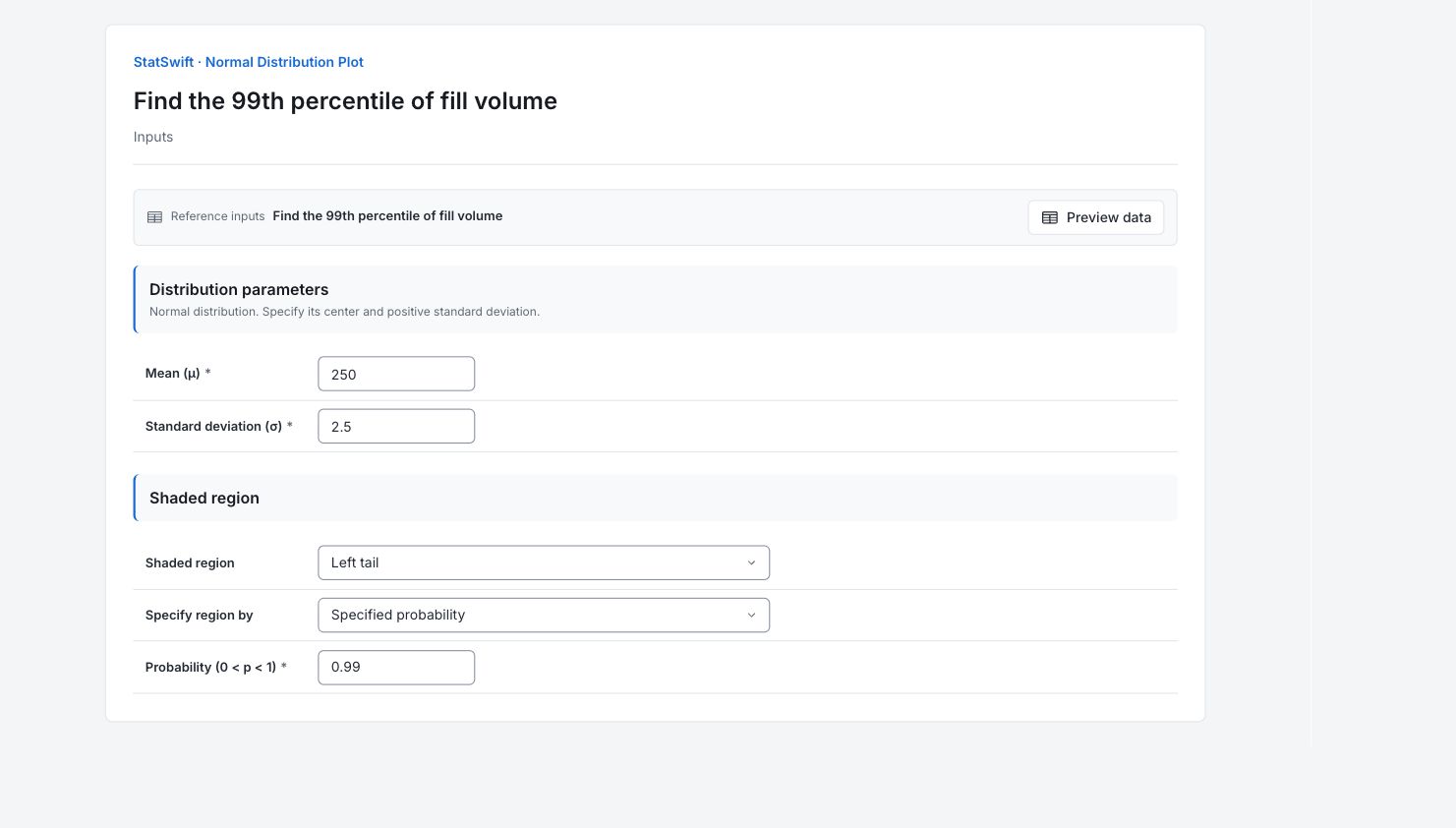
4. Run analysis
Choose Run analysis, then open Results.
5. Interpret results
Check the assumed model
Assume bottle fill is normally distributed with a mean of 250 mL and standard deviation of 2.5 mL. These are supplied model parameters, not estimates fitted by this calculator.
Read the shaded area
The cutoff is approximately 255.816 mL. The shaded area below it is 0.99, so about 99% of this normal model lies below that volume.

99th percentile of the supplied Normal fill model: approximately 255.816 mL. View full-size chart (opens in a new tab) Keep the meaning clear
The calculation treats the entered mean and SD as correct. It leaves 1% of the model above the cutoff, but does not include uncertainty in estimated parameters. This is neither a maximum possible fill nor a tolerance bound.
Apply it to the question
Use the cutoff to answer the stated model question. Check representative measurements and parameter uncertainty before setting a process limit from it.
More details: read each result section
Complete result tables use six significant digits, as in Help.
Normal distribution summary
Mean μ is the center; Standard deviation σ is the spread in mL. Shaded region names the selected area. Region input records whether a value or probability was entered. Shaded probability is the area under the curve; Cut x1 and, where shown, Cut x2 are its boundaries in mL. One percent of the model remains above the cutoff. This percentile is neither a maximum possible fill nor a tolerance bound that accounts for uncertainty in estimated parameters.
| Statistic | Value |
|---|---|
| Mean μ | 250 |
| Standard deviation σ | 2.5 |
| Shaded region | left |
| Region input | probability |
| Shaded probability | 0.99 |
| Cut x1 | 255.816 |
- Shading extends across ±4σ unless the requested region lies farther away.
6. Create a report
Keep the Normal distribution plot and Normal distribution summary together. Record the supplied mean and SD, selected region, input and resulting probability or cutoff. One percent of the model remains above the cutoff. This percentile is neither a maximum possible fill nor a tolerance bound that accounts for uncertainty in estimated parameters.
Choose Add to report from the completed run. Open Choose individual items and advanced options to select tables and charts, then choose Add to draft. Hidden items stay in the saved analysis.
Name the report and add the purpose of the study and your interpretation. Choose Save, review Preview, then use Export → Download HTML. The example below contains the full selected content, including results beyond one screen.